How to Buy on Kakobuy: A Simple Step-by-Step Guide
Shopping for streetwear from Taobao, Weidian and 1688 sellers used to mean digging through giant spreadsheets, broken links and seller pages in Chinese. Kakobuy Spreadsheet fixes that: it collects 10K+ finds from 275 brands across 15 categories into one visual catalog — shoes, hoodies, jackets, pants, watches, bags and accessories — with QC photos, so you can check the actual item before it ships. This guide walks you through the whole process, from creating your account to shipping your haul home, and it works for both new buyers and experienced spreadsheet shoppers.
Published September 29, 2026 · Updated October 20, 2026
Seven simple steps
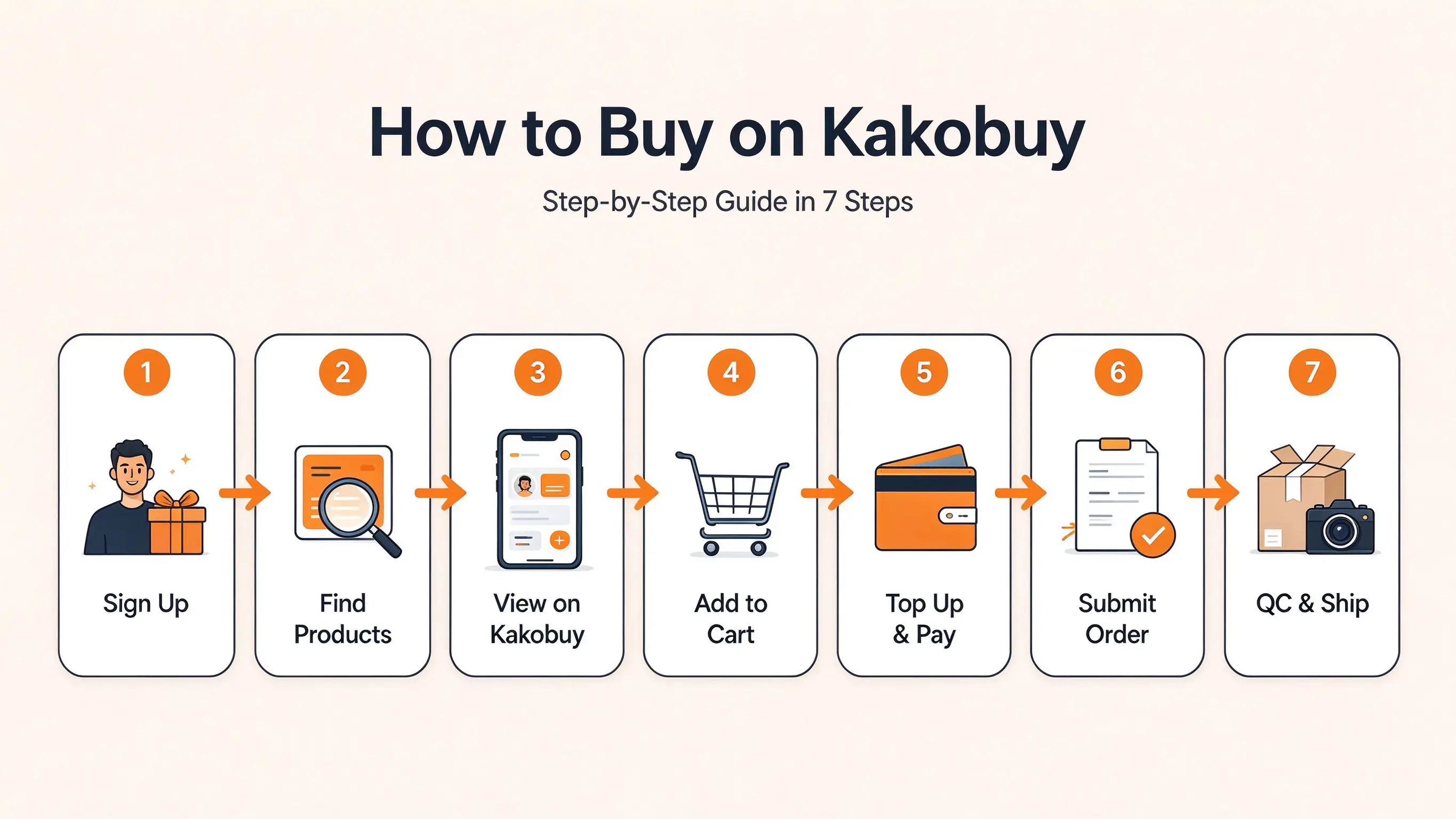
Step 1. Sign Up and Unlock Your Coupons
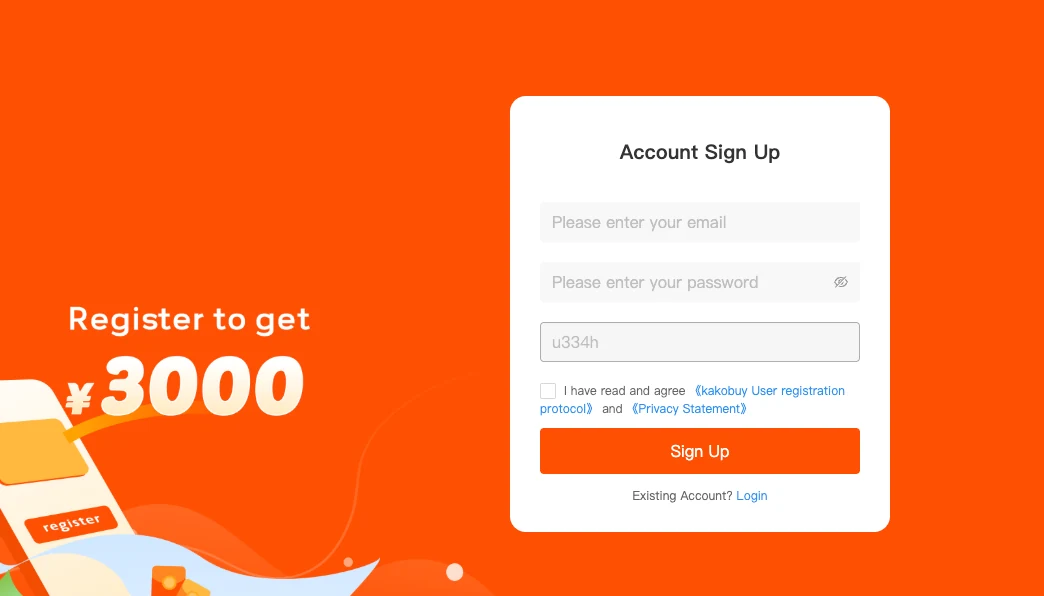
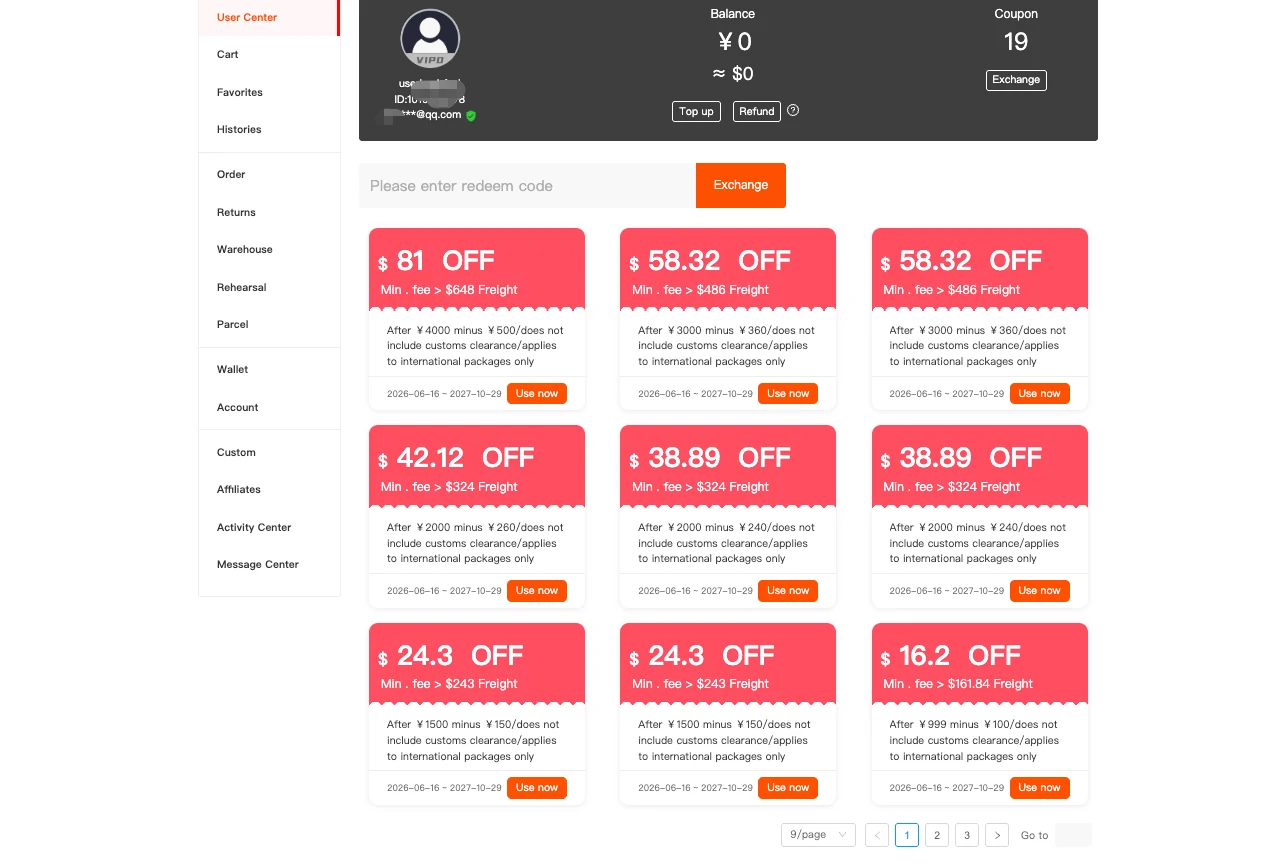
Your first move should always be creating a Kakobuy account — it unlocks the biggest shipping savings before you even add anything to your cart. New users sign up and get $410 coupons, and you can add the code u334h to unlock the special care package with shipping vouchers that have no minimum spend. Shipping is the biggest cost on international hauls, so starting with coupons in your account usually saves more than any discount on the products themselves.
Step 2. Find Your Products on the Kakobuy Spreadsheet Website
You don't need to hunt through spreadsheets or random marketplace links. Browse the catalog directly on the Kakobuy Spreadsheet website using three simple ways:
- Browse by category — shoes, hoodies, jackets, pants, watches, bags, T-shirts, sets, accessories and more
- Filter by brand — Nike, Jordan, New Balance, Adidas, Balenciaga and hundreds more
- Search by keyword — type any product name or style you're looking for
Each product card shows one preview image, so you can scroll fast and shortlist quickly. The catalog is updated every week with new finds, which makes it worth checking back regularly. Once you spot something you like, the next step happens on Kakobuy.
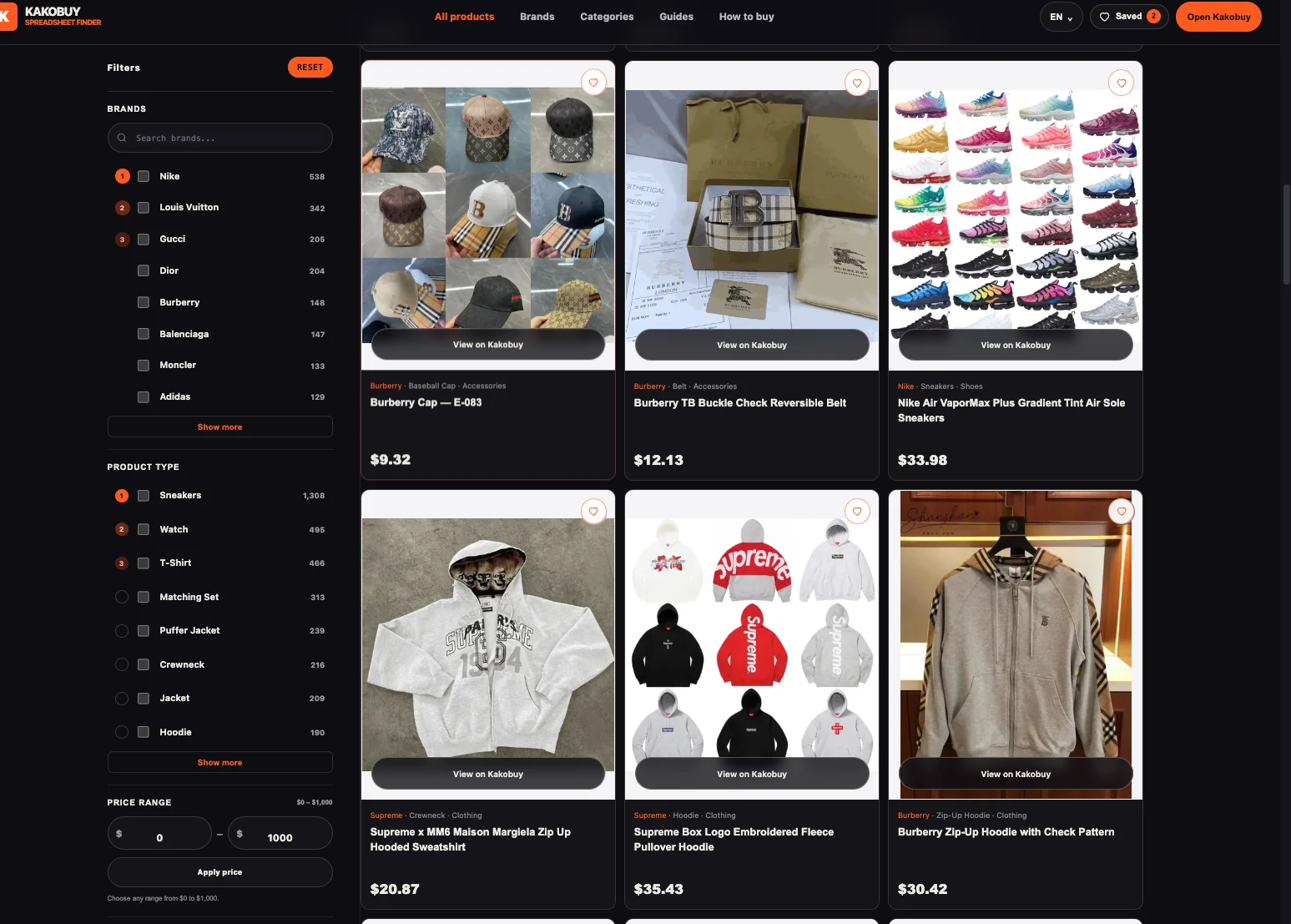
Step 3. Open the Listing on Kakobuy — More Photos, Specs & QC
Click the View on Kakobuy button on any product to open the full listing. This is where the real product information lives:
- More product photos and every available colorway
- Product specifications and the current price
- QC photos taken at the Kakobuy warehouse — real inspection images of the exact item, not the seller's marketing shots
QC photos matter more than most new buyers expect. Zoom in and check the logo placement, stitching, color accuracy and the size tag — these details are what decide whether a piece looks premium or disappointing when it arrives. If the listing has no QC photos yet, check again later: warehouse photos usually appear shortly after other buyers order the same item.
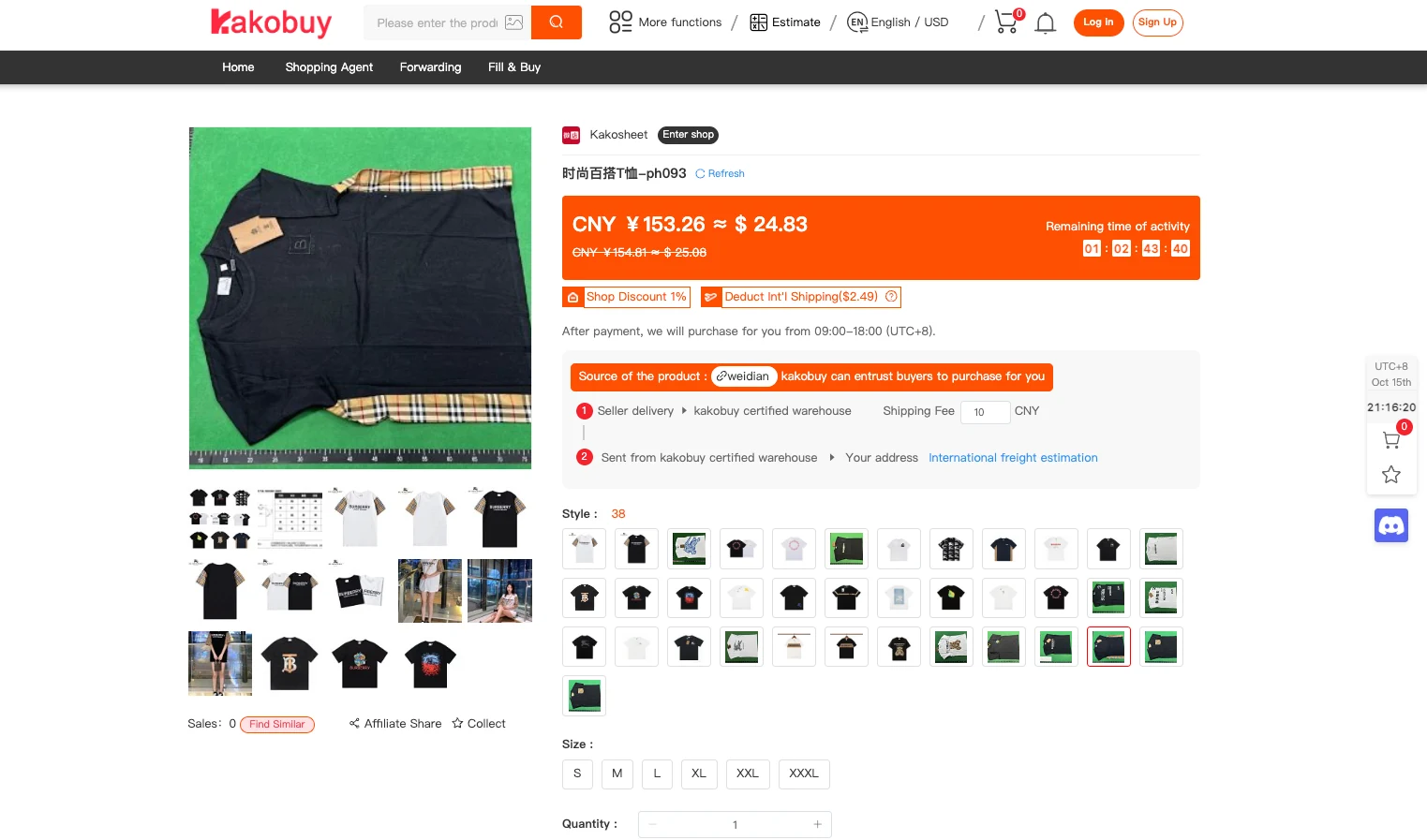
Step 4. Choose Your Size and Add to Cart
Pick your colorway and size on the listing. If the size chart is in Chinese, screenshot it and run it through Google Translate — it takes ten seconds and removes most sizing guesswork. If there's no size option at all, write your size in the remarks field and the agent will pass it to the seller. Then add the item to your cart and repeat for everything on your list.
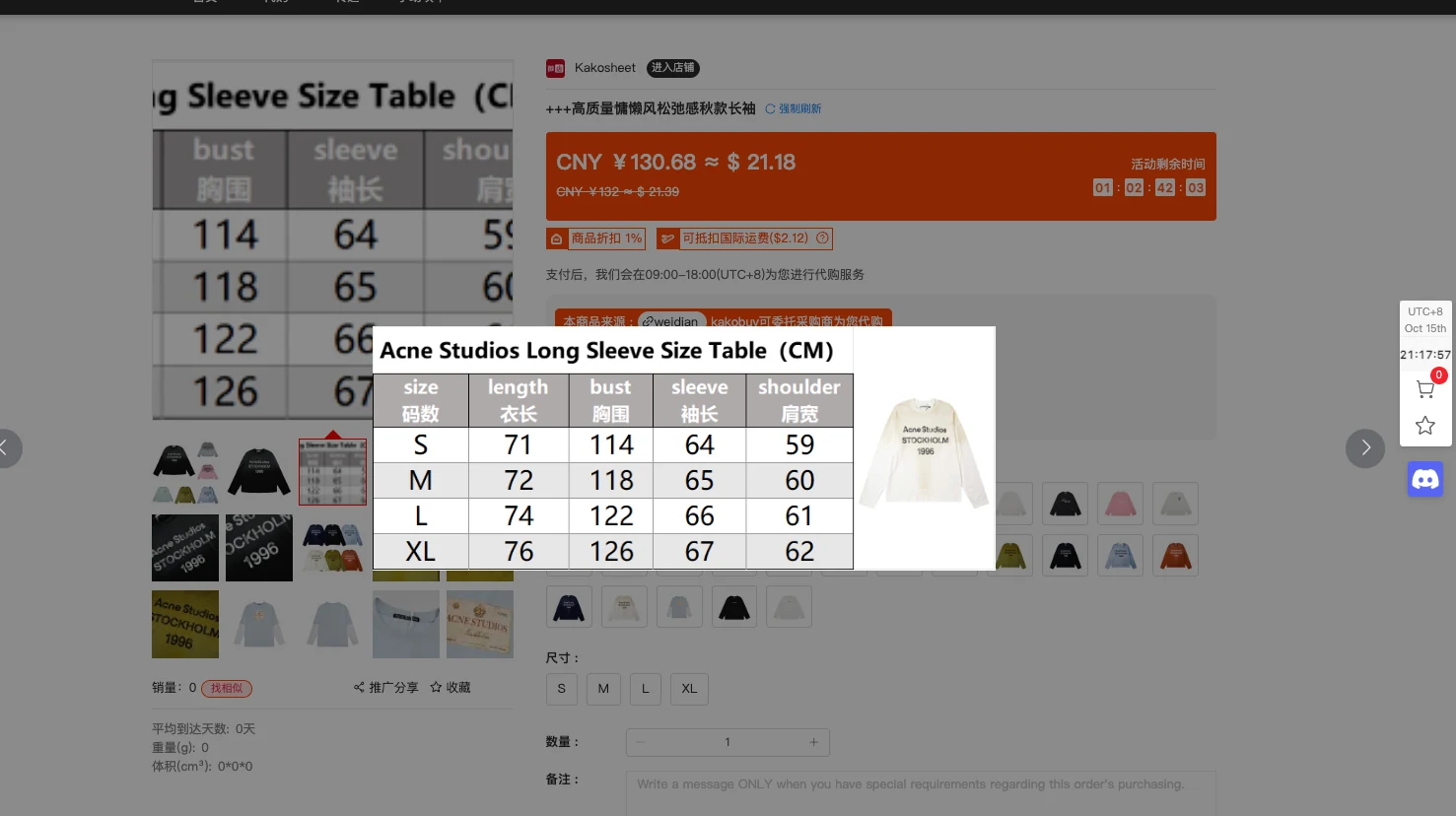
Step 5. Top Up Your Balance and Pay
Go to User Center → Top Up and add enough balance to cover your cart total. Add a few extra dollars on top, because payment fees can eat a small part of your balance. Kakobuy supports multiple secure payment methods — cards, PayPal, Apple Pay and Google Pay — and it's trusted by hundreds of thousands of users, so your information stays confidential.
Step 6. Submit Your Order — Agent Buys, Warehouse Receives
Hit Submit Order and confirm. The Kakobuy agent purchases your items from the seller, and they ship to the Kakobuy warehouse, usually within 2–5 days. Track everything in your Orders tab: paid → purchased → shipped → available for shipment. If a product is out of stock, you get a full refund — no risk of losing money on unavailable items.
Step 7. Check QC Photos, Estimate Shipping & Ship Your Haul
Once your items are in the warehouse, review the QC photos and make sure you're happy with each piece. Then prepare your parcel:
- Select all the items you want to ship
- Choose Rehearsal Packing — this pre-packs your parcel before you pay, so you get the exact weight, size and shipping price. It costs a few dollars and almost always saves money compared to the estimated price
- Add optional extras if you need them — a moisture bag if you're worried about rain, or corner protection for delicate items like shoe boxes
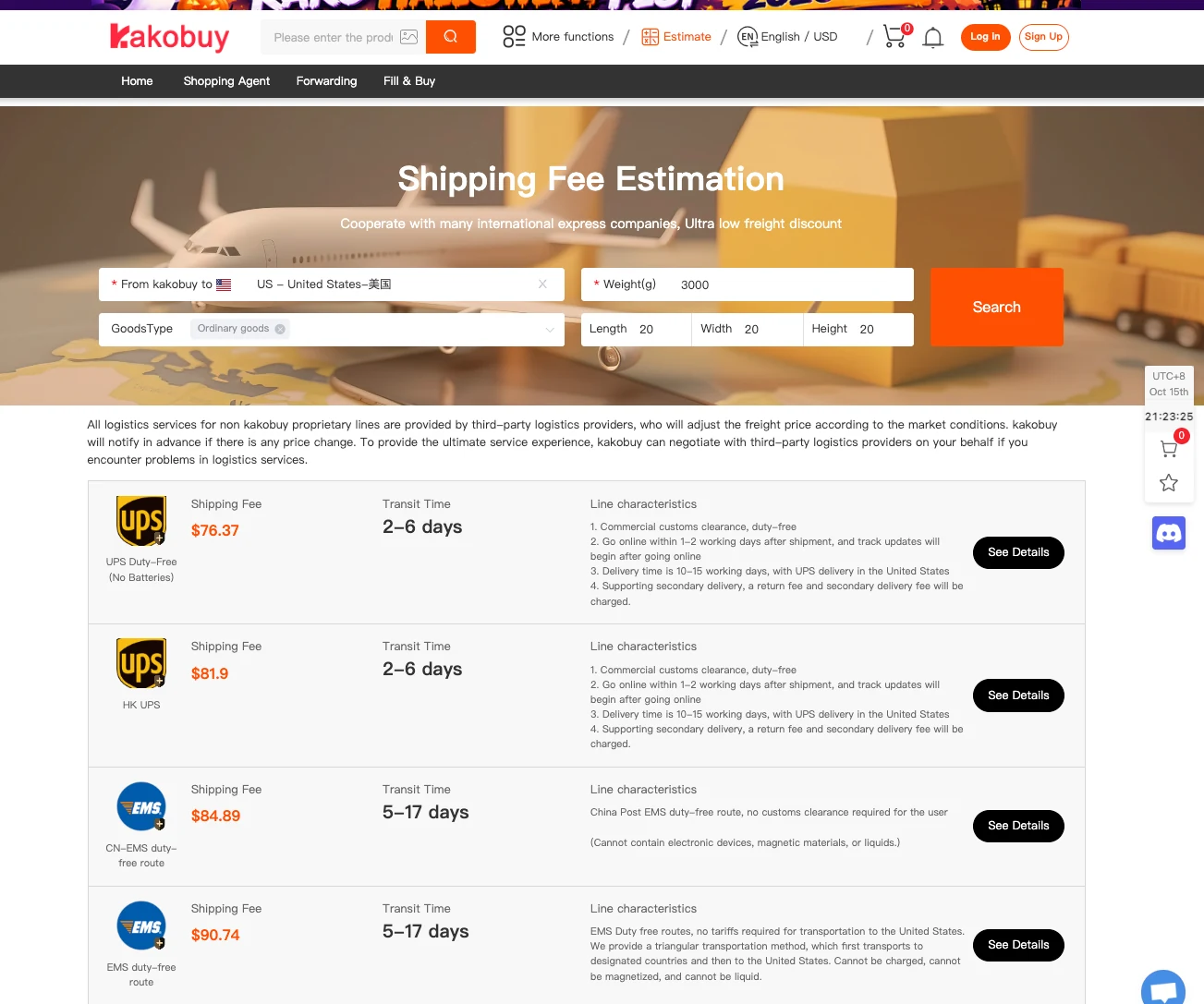
Estimate the cost on the Kakobuy shipping calculator by entering your parcel weight and destination. The dated examples below were checked on October 15, 2026, for ordinary goods weighing 3 kg in a 20×20×20 cm parcel; prices and transit estimates can change, so recheck the official calculator before paying.
Open Kakobuy shipping estimator
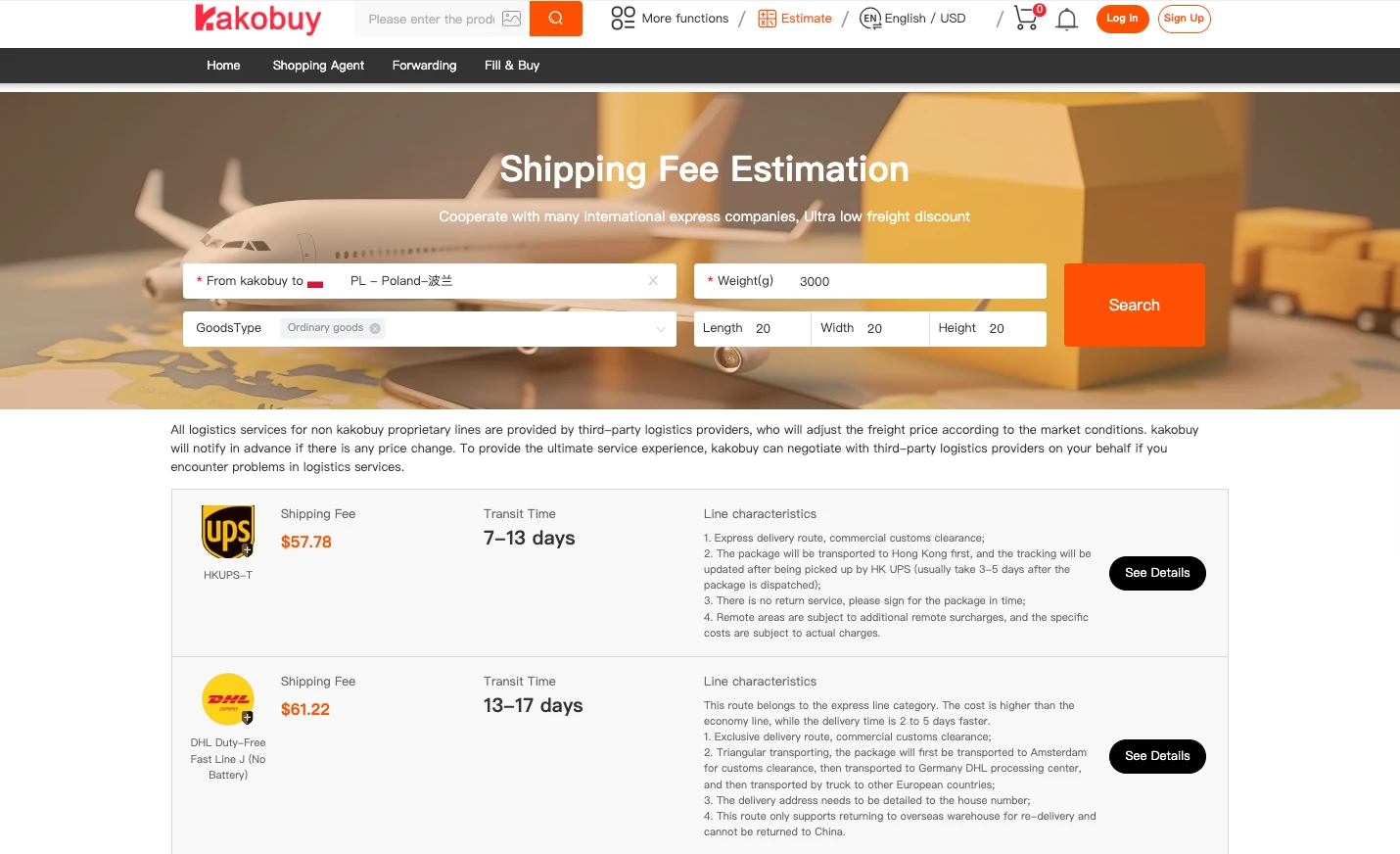
| Destination | Line | Price | Displayed transit time |
|---|---|---|---|
| Poland | HKUPS-T | $57.78 | 7–13 days |
| Poland | DHL Duty-Free Fast Line J (No Battery) | $61.22 | 13–17 days |
| US | UPS Duty-Free (No Batteries) | $76.37 | 2–6 days |
| US | HK UPS | $81.90 | 2–6 days |
| US | CN-EMS duty-free route | $84.89 | 5–17 days |
| US | EMS duty-free route | $90.74 | 5–17 days |
The table shows the calculator's headline transit estimates; check the route details before paying, as individual service notes may show a different delivery window. Apply your coupons before paying. Shipping can look high at first glance, but your sign-up coupons cut it down significantly — up to $80.7 off on bigger parcels.
Once you pay, Kakobuy packs your haul and ships it straight to your door. Track the parcel with the tracking number in your account, and most international deliveries arrive within 1–3 weeks.
Quick checklist
- Confirm the current listing, price and selected variant.
- Review QC photos against the actual item you expect.
- Choose Rehearsal Packing to confirm packed weight and dimensions.
- Check import restrictions for your destination.
- Apply available coupons before paying for shipping.
Warehouse QC
QC photos help you inspect the actual item before international shipment.
Secure workflow
Kakobuy supports purchasing, warehouse storage, quality checks and international delivery.
Buyer protection
When an item is unavailable, a full refund may be available. Confirm current terms in Kakobuy.
Browse the Kakobuy Spreadsheet catalog
Open the catalog, choose a brand or category, and continue to the matching Kakobuy listing.
FAQ
This FAQ is maintained by the Kakobuy Spreadsheet team based on the official Kakobuy purchasing process and warehouse QC workflow.
What is the Kakobuy Spreadsheet website?
It is an independent visual catalog that organizes Taobao, Weidian and 1688 product links so shoppers can compare products before opening the live Kakobuy listing.
How long does Kakobuy shipping take?
Delivery depends on the destination, route, parcel dimensions, customs and season. Check the current Kakobuy estimate and listing terms before paying.
How do I check QC photos before shipping?
Open the product listing in Kakobuy and review the warehouse QC photos before approving the international parcel.
How do I use the Kakobuy coupon code?
New users can enter code u334h where Kakobuy currently accepts coupon or referral codes. Confirm the current offer in your account.
Last updated: October 1, 2026. Delivery times and offers may change — always check the current listing.